

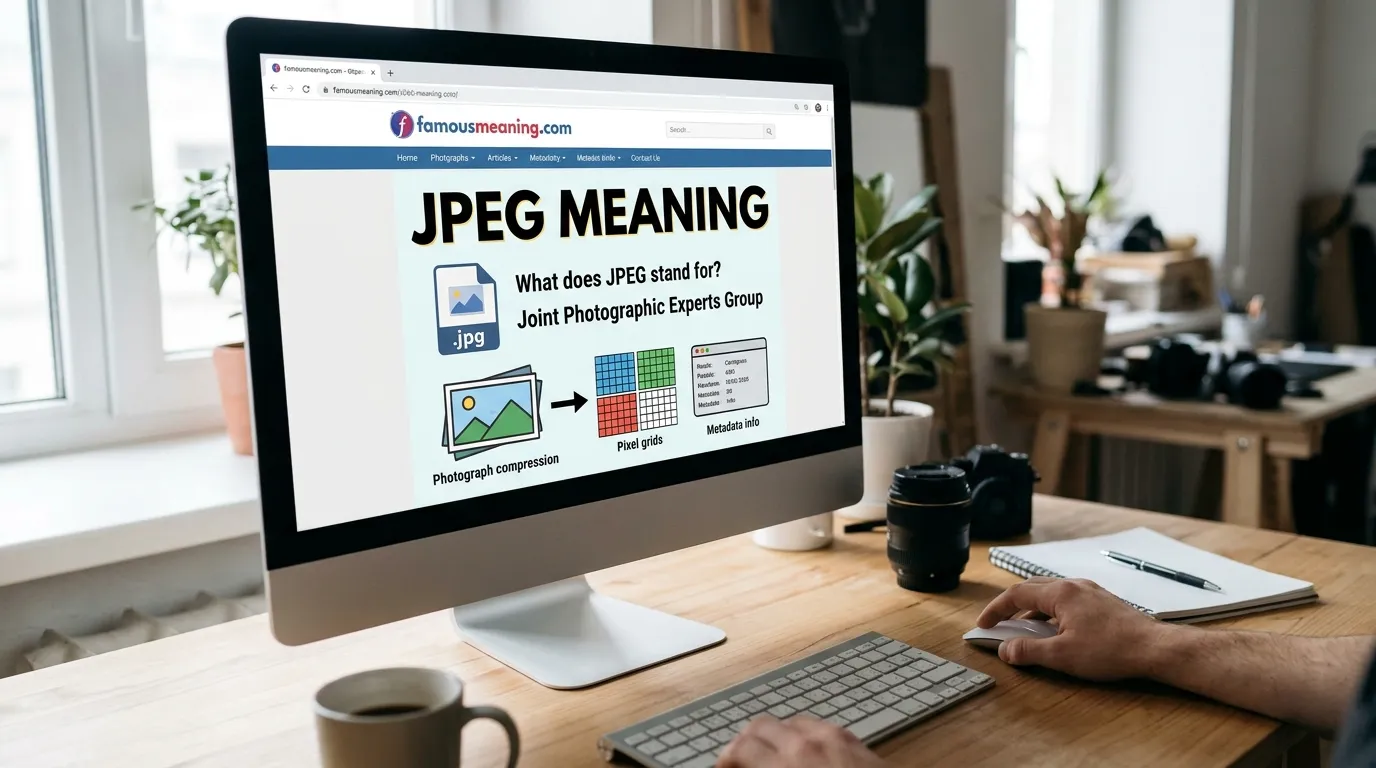
What Does JPEG Stand For?
JPEG stands for:
Joint Photographic Experts Group
Interestingly, JPEG originally refers to the name of the committee that developed the compression standard rather than simply being the name of a file extension.
Today, however, people commonly use “JPEG” to refer to images saved using JPEG compression.
JPEG Full Form
J – Joint
P – Photographic
E – Experts
G – Group
So when someone asks, “What is the full form of JPEG?”, the answer is Joint Photographic Experts Group.
What Is a JPEG File?
A JPEG file is a digital image that typically uses JPEG compression to reduce its storage size.
For example, a high-quality photograph can contain a large amount of visual information. JPEG compression can make the file smaller, which makes it easier to:
Store
Upload
Download
Email
Share
Display on websites
This balance between image quality and file size is one of the main reasons JPEG became so widely used.
JPEG Meaning in Computer
In computer terminology, JPEG refers to a digital image compression standard and the image files commonly associated with it.
You may encounter JPEG images when:
Downloading photographs
Uploading profile pictures
Saving camera photos
Creating website content
Sending images by email
Sharing pictures online
For example:
family-photo.jpeg
is a filename indicating that the image is stored as a JPEG-type file.
How Does JPEG Work?
JPEG compression reduces the amount of data needed to represent an image.
Standard JPEG is especially known for lossy compression.
What Is Lossy Compression?
Lossy compression reduces file size by permanently removing some image information.
The goal is to discard information in a way that may be difficult for people to notice at moderate compression levels.
However, if an image is compressed too heavily, the loss of quality can become obvious.
You may notice:
Blurry details
Block-like patterns
Reduced sharpness
Distorted edges
Changes around fine details
Therefore, JPEG involves a trade-off between smaller file size and image quality.
Why Is JPEG So Popular?
JPEG became popular because it can significantly reduce the size of photographic images while maintaining acceptable visual quality.
This is useful because smaller files generally:
Require less storage
Upload faster
Download faster
Are easier to share
Use less bandwidth
JPEG is particularly effective for photographs containing many colors, shades, and gradual transitions.
What Is JPEG Used For?
JPEG is commonly used for:
Digital Photography
Cameras and smartphones often save photographs as JPEG files because the format provides a useful balance between quality and storage space.
Websites
JPEG is widely used for photographic website images because compressed files can load faster than unnecessarily large image files.
Social Media
Photos uploaded to social platforms are frequently stored, processed, or displayed using compressed image formats.
JPEG photographs are convenient for email because their file sizes can be relatively small.
Personal Photo Collections
People commonly keep family photos, travel pictures, event photographs, and other everyday images as JPEG files.
JPEG vs JPG
One of the most common questions is:
What is the difference between JPEG and JPG?
For ordinary use, JPEG and JPG refer to the same image format.
The main difference is simply the file extension:
.jpeg
and
.jpg
Why Do Both JPEG and JPG Exist?
Older computer systems, particularly early versions of Windows and DOS environments, commonly used three-character file extensions.
Because “.jpeg” contains four letters, it was shortened to:
.jpg
Modern systems generally support both.
JPEG vs JPG Comparison
| Feature | JPEG | JPG |
|---|---|---|
| Image format | JPEG | JPEG |
| Typical extension | .jpeg | .jpg |
| Compression | Same basic standard | Same basic standard |
| Image quality | No inherent difference | No inherent difference |
| Common use | Photography | Photography |
So, JPG is not a different image format from JPEG in normal usage.
JPEG vs PNG
JPEG and PNG are both popular image formats, but they serve different purposes.
| Feature | JPEG | PNG |
|---|---|---|
| Typical compression | Lossy | Lossless |
| Photographs | Excellent choice | Possible but often larger |
| Transparency | No standard alpha transparency | Yes |
| Logos | Often not ideal | Often better |
| Screenshots/text graphics | Can lose sharpness | Often better |
| File size for photos | Usually smaller | Often larger |
When Should You Use JPEG?
Choose JPEG when you have:
Photographs
Realistic images
Images with many colors
Pictures where smaller file size matters
When Should You Use PNG?
PNG is often better for:
Logos
Graphics
Images requiring transparency
Screenshots
Text-heavy graphics
Images with sharp edges
JPEG vs WebP
WebP is a newer image format commonly used on the web.
Both JPEG and WebP can provide compressed photographic images, but WebP supports additional features and can often provide efficient compression.
However, JPEG remains extremely widespread because of its long history and broad compatibility.
Which Is Better?
There is no universal winner.
JPEG is useful when broad compatibility and simplicity are priorities.
WebP can be useful for modern websites where reducing image file size is particularly important.
The best choice depends on the project.
JPEG vs GIF
JPEG and GIF are designed for different kinds of images.
JPEG works especially well for photographs.
GIF is best known for supporting simple animations.
| Feature | JPEG | GIF |
|---|---|---|
| Photographs | Good | Usually unsuitable |
| Animation | Standard JPEG does not support it | Yes |
| Color handling | Suitable for photos | Limited palette |
| Common purpose | Photos | Simple graphics/animations |
If you want a normal photograph, JPEG is generally more suitable than GIF.
JPEG Advantages
JPEG has several important advantages.
1. Smaller File Sizes
JPEG compression can substantially reduce image size.
2. Good for Photographs
JPEG handles photographs and images with complex color variations effectively.
3. Wide Compatibility
JPEG images can be opened on almost every modern computer, smartphone, browser, and image application.
4. Easy to Share
Smaller image files are convenient for email, websites, messaging, and online sharing.
5. Adjustable Quality
Many image-editing programs allow users to choose different JPEG quality or compression levels.
This lets you balance file size against visual quality.
JPEG Disadvantages
JPEG also has limitations.
1. Loss of Image Quality
Because standard JPEG compression is lossy, image information can be permanently discarded.
2. Repeated Editing Can Reduce Quality
Repeatedly opening, editing, and re-saving a JPEG with lossy compression can introduce additional degradation.
3. No Standard Transparency
JPEG is generally not suitable when you need a transparent background.
4. Not Ideal for Logos
Logos often contain sharp edges, text, and flat colors. Formats such as PNG or SVG may be more appropriate.
5. Compression Artifacts
Heavy JPEG compression can create visible blocks, ringing, or blurry areas.
Does JPEG Reduce Image Quality?
Yes, JPEG compression can reduce image quality, particularly when strong compression is used.
However, at suitable quality settings, the difference may be difficult to notice during ordinary viewing.
The basic trade-off is:
Higher quality = generally larger file
Higher compression = generally smaller file but more quality loss
Choosing the right setting depends on how the image will be used.
Is JPEG Good for High-Quality Photos?
JPEG can provide very good visual quality when saved with appropriate settings.
It is commonly used for:
Camera photographs
Travel photography
Family pictures
Online portfolios
Website photography
Social media images
However, photographers who need maximum editing flexibility or preservation of original image data may use RAW or other formats during editing and create JPEG copies for sharing.
Can JPEG Have a Transparent Background?
Standard JPEG does not support an alpha transparency channel like PNG does.
If you need an image with a transparent background, formats such as:
PNG
WebP
SVG, for suitable graphics
may be better choices.
For example, a company logo that needs to appear cleanly over different background colors may be better saved as PNG or SVG instead of JPEG.
Can JPEG Support Animation?
Traditional JPEG files do not normally support animation in the way GIF does.
If you need animated visual content, formats such as GIF, animated WebP, or certain video formats are generally more suitable.
JPEG is primarily associated with still images.
How to Open a JPEG File
JPEG files are extremely easy to open.
You can usually open them with:
Web browsers
Windows Photos
macOS Preview
Smartphone gallery apps
Adobe Photoshop
Image editors
Photo management software
In most cases, simply double-clicking or tapping a JPEG file will open it automatically in the device’s default image viewer.
How to Convert an Image to JPEG
Many image-editing programs allow you to convert another image format to JPEG.
The usual process is:
Open the image.
Select Save As or Export.
Choose JPEG or JPG.
Select the desired image quality.
Save the file.
Keep in mind that converting an image with transparency to JPEG will remove the transparency, typically replacing it with a solid background.
Common JPEG File Extensions
The most familiar extensions are:
.jpg
.jpeg
Less commonly, you may encounter related variations in specialized contexts, but .jpg and .jpeg are by far the most recognizable for ordinary users.
Is JPEG a File Format or Compression Method?
This question is slightly more complicated than it first appears.
JPEG technically refers to standards developed by the Joint Photographic Experts Group, including methods for compressing photographic images.
In everyday computer usage, however, people commonly say “JPEG format” or “JPEG file” when referring to an image encoded using JPEG compression.
Therefore, saying “JPEG image format” is completely normal in everyday language.
Common Mistakes About JPEG
Mistake 1: Thinking JPEG and JPG Are Different Formats
They normally refer to the same format. The primary visible difference is the filename extension.
Mistake 2: Thinking JPEG Is Always High Quality
JPEG quality depends on the compression settings. Heavy compression can noticeably reduce image quality.
Mistake 3: Using JPEG for Transparent Images
Standard JPEG does not support transparent backgrounds.
Mistake 4: Using JPEG for Every Graphic
JPEG is excellent for photographs, but PNG or SVG may be better for logos, icons, text graphics, and images requiring transparency.
Mistake 5: Thinking JPEG Compression Is Always Reversible
Standard JPEG compression is usually lossy, meaning discarded information cannot simply be restored from the compressed file.
JPEG Meaning in Texting and Social Media
JPEG does not normally have a special slang meaning in texting.
If someone says:
“Send me the JPEG.”
they most likely mean:
“Send me the image file.”
Online, people may casually use JPEG or JPG when discussing:
Memes
Photos
Screenshots
Image downloads
Graphic files
Website images
The exact meaning usually remains related to the image format.
Is JPEG Positive, Negative, or Neutral?
JPEG is a neutral technical term.
It does not normally carry positive or negative emotional meaning.
| Sentiment | Explanation |
|---|---|
| Positive | No inherent positive meaning |
| Negative | No inherent negative meaning |
| Neutral | Digital image/compression term |
The surrounding sentence can still express an opinion.
For example:
“JPEG is perfect for this photo.” — Positive statement
“The JPEG looks badly compressed.” — Negative statement
The term JPEG itself remains neutral.
Related Terms to JPEG
| Term | Meaning |
|---|---|
| JPG | Common three-letter extension for JPEG |
| PNG | Lossless image format supporting transparency |
| GIF | Image format known for simple animations |
| WebP | Modern web-focused image format |
| SVG | Vector graphics format |
| Compression | Reducing the amount of data needed for a file |
| Lossy | Compression that discards some information |
| Lossless | Compression designed to preserve original information |
| Resolution | Image dimensions/detail level |
| Pixel | Smallest basic picture element in a raster image |
| RAW | Minimally processed camera image data |
| Image format | A method of organizing and storing image data |
Should You Use JPEG?
JPEG is an excellent choice when you need to save or share photographs and realistic images with manageable file sizes.
Use JPEG for:
Photos
Website photography
Email attachments
Social media pictures
Personal photo collections
Consider another format when you need:
Transparent backgrounds
Sharp logos
Vector graphics
Lossless editing
Animation
The right format depends on what you need the image to do.